

App Testing Jobs: 7 Legitimate Platforms to Earn Money Testing Apps
Looking for app testing jobs that let you earn money online? Companies need real people to test their mobile apps, websites, and digital products before releasing them to the public. As a tester, you may be asked to complete specific tasks, explore an app, report bugs, or explain your experience while using a product.
The good news is that you do not always need programming skills or professional experience to get started. Several platforms connect businesses with people who can test products and provide honest feedback.
In this guide, you will discover 7 platforms for testing apps and websites, how they work, what you need to get started, and practical ways to improve your chances of receiving paid testing opportunities.
What Are App Testing Jobs?
App testing jobs involve trying mobile applications or digital products to help companies identify problems and improve the user experience.
Depending on the assignment, you might need to:
- Test app functionality to identify errors or unexpected behavior.
- Navigate menus and complete tasks to evaluate usability.
- Record your screen and voice while explaining your experience.
- Report technical issues, crashes, or bugs.
- Share feedback about an app’s design, performance, or features.
There are different types of testing opportunities. Some focus on usability and user experience, while others involve finding technical bugs. Certain reward platforms also offer app-related tasks that may include downloading, trying, or completing activities in an application.
Important: App testing is not a guaranteed source of daily income. The number of available assignments depends on your location, profile, skills, and the needs of each company.
7 Legitimate Platforms to Earn Money Testing Apps
The following platforms offer different types of opportunities. Some focus on usability studies, while others specialize in software testing or provide app-related rewards.
1. UserTesting
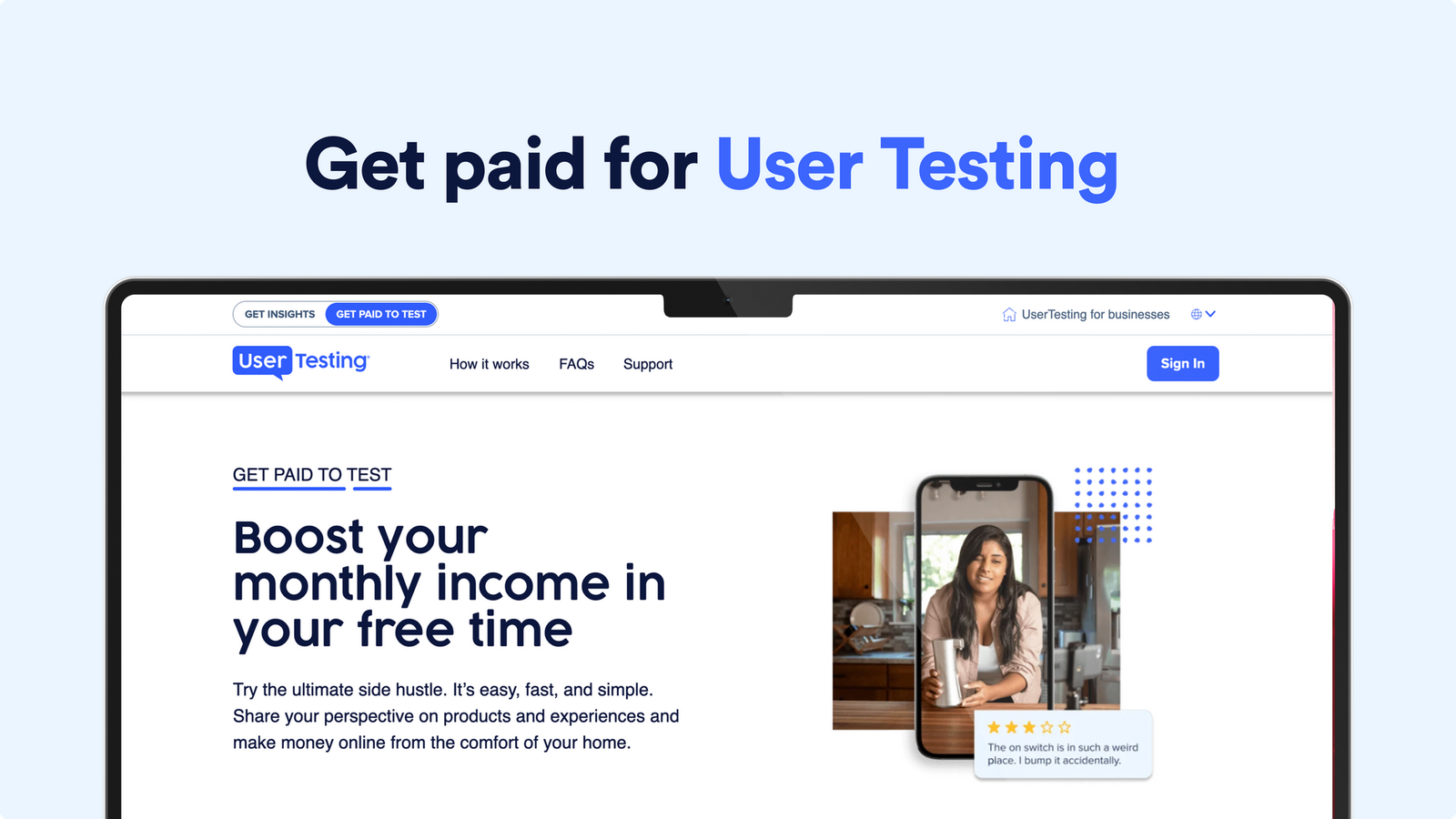
UserTesting connects participants with companies that want feedback on websites, mobile apps, prototypes, and digital experiences.
After applying, you may need to complete a practice test and provide information about yourself. If your profile matches a company’s target audience, you may receive screening questions for available studies.
What you may do:
- Test websites and mobile applications.
- Complete tasks while sharing your thoughts aloud.
- Record your screen and microphone during certain tests.
- Participate in research studies that match your profile.
Who is it suitable for?
People who can explain their experiences clearly and follow instructions carefully.
Getting started: Visit the official UserTesting application page to review the requirements and apply.
Keep in mind that passing the application process does not guarantee a steady supply of tests. Your eligibility depends on the platform’s requirements and the available studies.
2. Userlytics
Userlytics offers paid user experience research involving websites, applications, and prototypes.
Participants may be asked to complete specific activities and describe what they find confusing, useful, or difficult. Some studies require recorded feedback, while others may involve moderated research sessions.
What you may do:
- Evaluate mobile apps and websites.
- Follow task instructions and explain your decisions.
- Share feedback about navigation and usability.
- Participate in research projects that match your profile.
Getting started: Visit the official Userlytics tester registration page and follow the application instructions.
Tip: Give specific feedback rather than simply saying that an app is good or bad. Explain what worked, what caused confusion, and what could be improved.

3. Trymata
Trymata is a user testing platform where participants can evaluate websites, apps, and prototypes.
Testing assignments may involve navigating a product, completing tasks, and recording your reactions. The goal is to help businesses understand how real users interact with their products.
What you may do:
- Test digital products and user interfaces.
- Complete usability tasks.
- Record your screen and provide spoken feedback when required.
- Answer questions about your experience.
Getting started: Visit the official Trymata website and look for the option to sign up as a paid tester.
The availability of assignments can vary. Completing your profile accurately and checking for invitations regularly may help you find suitable opportunities.
4. PlaybookUX
PlaybookUX connects researchers with participants who provide feedback on products, designs, websites, and digital experiences.
Studies may be moderated, meaning a researcher interacts with you directly, or unmoderated, meaning you complete the tasks independently.
What you may do:
- Evaluate websites, applications, and prototypes.
- Participate in recorded usability studies.
- Answer questions about a product’s design.
- Join interviews or other research activities when eligible.
Getting started: Visit the official PlaybookUX participant registration page to learn about the available studies and registration process.
Who is it suitable for?
People who can follow detailed instructions, communicate clearly, and provide thoughtful feedback.
Not every participant will qualify for every study. Researchers may use screening questions to find people who match their target audience.

5. Userfeel
Userfeel offers usability testing opportunities involving websites and digital products. Testers may need to complete a set of tasks while describing their experience.
Companies use this feedback to discover usability problems and understand how people navigate their products.
What you may do:
- Test websites and selected digital experiences.
- Complete tasks based on written instructions.
- Record your thoughts while using a product.
- Identify confusing navigation or unclear instructions.
Getting started: Visit the official Userfeel website and look for its tester or participant registration options.
A quiet environment, a reliable internet connection, and clear communication can help you deliver better feedback during recorded sessions.
Remember that the number of invitations you receive depends on your profile and the studies available to you.
6. Test IO
Test IO focuses on software testing and crowdsourced quality assurance. Unlike platforms that primarily ask for opinions about a product, software testing opportunities may involve identifying and reporting actual bugs.
Depending on the assignment, testers may evaluate websites, mobile applications, or other digital products.
What you may do:
- Explore an application to identify technical problems.
- Reproduce bugs and document the steps needed to trigger them.
- Provide screenshots or other evidence when requested.
- Follow testing guidelines and report findings accurately.
Who is it suitable for?
People interested in software quality assurance who are willing to learn testing procedures and document issues carefully. Some opportunities may require more technical knowledge than ordinary usability tests.
Getting started: Visit the official Test IO website to explore its tester community and registration requirements.
Important: Bug testing is different from simply using an app. Reports may need to meet specific quality standards before they qualify for payment.

7. Freecash
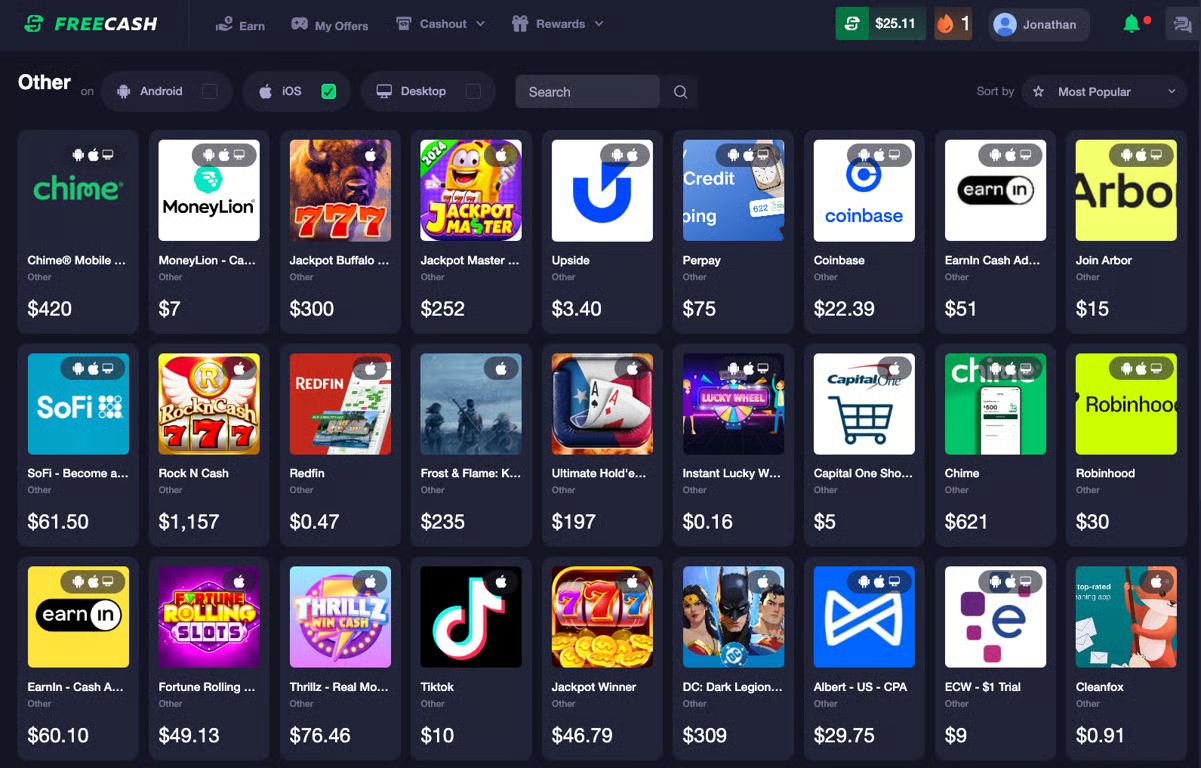
Freecash is a rewards platform that offers various online tasks and offers. Depending on your country and eligibility, these may include activities involving mobile games, apps, surveys, and other promotions.
It is important to distinguish these opportunities from traditional usability testing. An offer to install a game and reach a particular level is not necessarily the same as testing an app for bugs or recording user experience feedback.
What you may do:
- Explore available app-related offers.
- Complete eligible game or promotional tasks.
- Participate in surveys when available.
- Track the requirements associated with each offer.
Getting started: Visit the official Freecash website to review the offers available in your region and the current withdrawal rules.
Before accepting an offer, read its conditions carefully. Some offers require specific milestones, qualifying purchases, or completion within a limited period. Rewards, withdrawal options, and eligibility can vary by country and offer.
Comparison of the 7 App Testing Platforms
Use this table to compare the platforms and choose where to start.
| Platform | Main opportunity | Best suited for |
|---|---|---|
| UserTesting | Usability tests and user feedback | People comfortable explaining their experience |
| Userlytics | UX research and usability studies | People who can follow tasks and give detailed feedback |
| Trymata | Website and app usability testing | People interested in evaluating digital products |
| PlaybookUX | User research and testing studies | People comfortable with recorded tests or interviews |
| Userfeel | Usability testing | People who can describe navigation problems clearly |
| Test IO | Software testing and bug reporting | People interested in finding technical issues |
| Freecash | App-related offers and other rewards | People looking for eligible tasks beyond traditional UX testing |
Note: These platforms do not all provide the same type of work. Registration does not guarantee acceptance, available assignments, or earnings. Check each official website for current requirements, payment conditions, and country availability.
How Much Can You Earn Testing Apps?
Your earnings depend on the type of assignment, its duration, the platform’s payment terms, and how frequently you qualify for opportunities.
For example, a moderated research interview may pay differently from a short usability test. A bug-testing assignment may also have different payment conditions from a game-related reward offer.
Before estimating your potential income, consider these factors:
- Test duration: Longer assignments may offer higher compensation, but this is not guaranteed.
- Eligibility: You may be screened out of studies that do not match your profile.
- Location: Some companies recruit participants from specific countries or demographic groups.
- Experience: Technical testing may require skills that take time to develop.
- Availability: You may receive several invitations during one period and very few during another.
Avoid assuming that a platform’s advertised payment represents a guaranteed hourly wage. Screening time, waiting for invitations, and completing unpaid qualification steps can affect your effective earnings.
Can You Earn Money Every Day?
Possibly, but daily income is not guaranteed.
You may receive several suitable assignments on one day and none on another. Signing up for multiple legitimate platforms can give you more opportunities to find work, although it does not guarantee that you will qualify for more tests.
A sensible approach is to treat app testing as a potential side income until you have enough consistent, verified results to assess its reliability.
What Do You Need to Start Testing Apps?
You do not need to be a professional developer for every type of app testing. However, the requirements depend on the platform and assignment.
1. A Suitable Device
Some tests require an Android phone, an iPhone, or a computer. Check the device requirements before applying.
2. A Reliable Internet Connection
Many assignments involve browsing, downloading apps, recording sessions, or joining interviews. A stable connection helps prevent interruptions.
3. A Microphone
Usability tests may require you to speak your thoughts aloud while completing tasks. Some assignments also require screen recordings.
4. Clear Communication Skills
You should be able to explain what you are doing, what you expected to happen, and why a particular feature is confusing or helpful.
5. Attention to Detail
For software testing, you may need to document the exact steps that caused a problem and provide evidence that helps developers reproduce it.
6. A Supported Payment Method
Review each platform’s payment options and eligibility rules before investing time in an application. Payment methods and withdrawal requirements can vary by platform and country.
7 Tips to Improve Your Chances of Getting App Testing Jobs
Signing up is only the first step. The quality of your feedback and your ability to match available studies can influence your opportunities.
1. Complete Your Profile Honestly
Provide accurate information about your location, devices, interests, and relevant experience. Researchers use this information to determine whether you qualify for their studies.
2. Check for New Opportunities Regularly
Some assignments have limited places. Checking your dashboard or email notifications can help you respond while a suitable opportunity is still available.
3. Explain Your Thoughts Clearly
During a usability test, describe what you expect a button or feature to do. If something is confusing, explain why rather than simply saying that you do not like it.
4. Follow Every Instruction
Read the assignment requirements before starting. Skipping tasks, missing required recordings, or failing to provide requested evidence may affect whether your submission is accepted.
5. Find a Quiet Testing Environment
For recorded tests and interviews, reduce background noise and make sure your microphone works properly.
6. Learn Basic Bug Reporting
If you want to pursue technical opportunities through platforms such as Test IO, learn how to describe bugs, reproduce errors, and provide clear supporting evidence.
7. Use Several Suitable Platforms
Consider applying to multiple services rather than depending on a single source of work. Start with the platforms that best match your devices, communication skills, and interests.
Quality matters more than quantity. Accurate, thoughtful feedback is more useful than rushing through assignments.
How to Avoid App Testing Scams
Not every website advertising online testing jobs is legitimate. Before signing up or sharing personal information, take time to evaluate the opportunity.
Watch for these warning signs:
- Upfront fees: Be cautious if a supposed employer requires payment simply to access a job.
- Guaranteed earnings: Claims of effortless, fixed daily income should be treated skeptically.
- Unclear payment terms: Check how compensation is calculated and when it becomes payable.
- Suspicious downloads: Do not install unknown files or applications from untrusted sources.
- Requests for sensitive information: Never share passwords, verification codes, or unnecessary financial information.
- Unrealistic requirements: Be wary of offers that promise unusually high payments for almost no work.
Use official websites to register and read the relevant terms before accepting tasks. If a platform offers a withdrawal method you cannot use in your country, identify that limitation before spending time completing offers.
Common Mistakes to Avoid
New testers sometimes reduce their chances of success by making simple mistakes.
Providing vague feedback: Explain the problem and its impact instead of saying only that something is confusing.
Ignoring qualification requirements: Read the instructions and answer screening questions truthfully.
Expecting constant assignments: Testing demand fluctuates, and no platform can guarantee that you will always have work.
Confusing rewards with testing jobs: An app-install offer is different from a professional usability study or a bug-reporting assignment.
Ignoring payment restrictions: Confirm withdrawal methods, minimum thresholds, and regional availability before beginning.
Relying on one platform: Applying to several suitable platforms may provide more options, but it still does not guarantee regular income.
Pros and Cons of App Testing Jobs
Pros
- Flexible schedule: Many assignments can be completed remotely at suitable times.
- Beginner-friendly opportunities: Some usability tests do not require coding skills.
- Different types of work: You can explore usability studies, software testing, and app-related rewards.
- Useful experience: Testing can help you develop communication, observation, and basic quality assurance skills.
Cons
- Irregular availability: You may not qualify for every study.
- Variable earnings: Payments and the amount of available work differ.
- Screening requirements: Some applications require practice tests or qualification questions.
- Regional restrictions: Certain platforms or payment methods may not be available everywhere.
- Technical learning curve: Bug testing can require more preparation than ordinary usability feedback.
Frequently Asked Questions
1. Can I get paid to test apps without experience?
Yes. Some usability testing platforms accept beginners who can follow instructions and provide clear feedback. Technical bug-testing assignments may require additional knowledge.
2. Which app testing platform should I try first?
There is no universal best platform. You could begin with UserTesting, Userlytics, or Trymata, then compare the opportunities for which you qualify.
3. Do I need coding skills to test apps?
Not for every opportunity. Usability testing often focuses on how people interact with an app. Software bug testing may require technical knowledge or specialized training.
4. Can I test apps using my phone?
Yes, some assignments require an Android phone or iPhone. Other tests may require a desktop or laptop. Always check the device requirements for each study.
5. How much can I earn from app testing?
There is no fixed amount. Earnings depend on the platform, assignment, location, eligibility, and availability of tests. Treat advertised payments as assignment-specific rather than guaranteed income.
6. Is Freecash the same as a user testing platform?
Not exactly. Freecash offers rewards for various tasks, including certain app-related offers. Traditional user testing usually involves evaluating usability, while software testing may focus on identifying technical problems.
7. Can I use several app testing websites?
Generally, you can apply to multiple platforms, provided you follow each platform’s terms. Using more than one service may give you access to different opportunities, but it does not guarantee more work.
8. How do app testers receive payments?
Payment methods vary. Check the official platform’s current payment policy, minimum withdrawal requirements, and supported countries before starting.
9. Are app testing jobs available worldwide?
Not all platforms or studies are available in every country. Eligibility may depend on your location, language, device, and demographic profile.
10. Are app testing jobs a reliable full-time income source?
They may provide supplementary income, but assignments can be irregular. Do not rely on them as a stable full-time income until your own verified results demonstrate consistent demand and earnings.
Final Thoughts
App testing jobs can be a practical way to explore online earning opportunities, particularly if you enjoy trying new applications, explaining your experience, or identifying software problems.
Start by exploring platforms such as UserTesting, Userlytics, Trymata, and Test IO. If you are also interested in app-related rewards, review the offers available through Freecash.
Compare each platform’s requirements, verify its payment terms, and focus on opportunities that match your skills and devices. With realistic expectations and consistent effort, you can determine whether app testing is a useful addition to your online income options.
Disclaimer: Platform features, eligibility, compensation, and payment methods may change. Always consult the official website for the latest information before registering or accepting an assignment.